

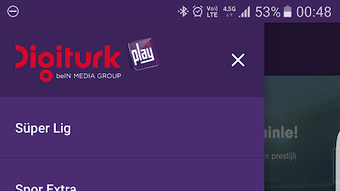
Description
Download Digiturk Play APK – Live Sports Streaming, Sports Matches, Android App
Overview
Digiturk Play is a mobile application designed for Android devices, developed by Digiturk, enabling users to stream live sports events directly from their smartphones or tablets. The app provides access to major international football leagues, including the Super League, La Liga, French League, Brazilian League, and Euroleague, offering high-quality video playback for an immersive viewing experience. It is positioned as a free-to-download solution with no in-app purchases, making it accessible to a broad audience seeking live sports content without additional costs. The application is tailored for sports enthusiasts who prefer watching live matches on mobile devices, eliminating the need for a traditional TV setup. Its straightforward installation process and intuitive interface allow users to start streaming quickly after setup. The developer did not provide additional details about the app’s background or technical development approach. Real-world usage scenarios include watching live matches during commutes, travel, or at home, offering flexibility for users with dynamic schedules. While the app supports multiple devices such as phones and tablets, specific compatibility details beyond Android were not specified.
Key Features & Capabilities
- Live Sports Streaming – Offers real-time broadcasts of major football leagues including La Liga, Super League, French League, Brazilian League, and Euroleague, enabling users to follow their favorite teams and events as they happen.
- High-Quality Video Output – Delivers high-resolution streams, ensuring clear and stable playback for an engaging viewing experience on supported devices.
- Free Access with No In-App Purchases – The application is available at no cost, with no advertisements or additional fees required for basic functionality, enhancing accessibility.
- User-Friendly Interface – Features a clean, intuitive design that simplifies navigation, allowing users to quickly locate and start watching live matches.
- Multi-Device Compatibility – Supports a range of Android smartphones and tablets, enabling flexible viewing across different screen sizes and form factors.
- Easy Installation Process – Users can download and install the APK file directly, with minimal steps required to begin using the app.
These features collectively support users who prioritize convenience, affordability, and real-time access to live sports. For example, a fan traveling abroad can use the app to stay updated on domestic league matches without needing a subscription-based TV service. Similarly, users with limited space or no TV can rely on the app for live coverage. The absence of in-app purchases ensures a consistent user experience without unexpected costs.
User Interface, Workflow & Performance
The user interface of Digiturk Play is described as simple and easy to use, with a layout focused on accessibility and speed. Navigation appears to be streamlined, allowing users to quickly access live matches, leagues, and other content through clearly labeled sections. The workflow is designed for minimal friction—after installation, users can begin watching live streams with little to no configuration. The developer did not specify resource usage details, such as CPU or RAM consumption, nor did they provide performance benchmarks. As such, exact performance behavior under different conditions remains unclear. General software behavior patterns suggest that streaming applications typically require stable internet connections and moderate device resources. Stability during extended use was not confirmed. Users may experience variations in playback quality depending on network speed and device capabilities. The app is reported to be updated regularly, which may contribute to ongoing improvements in functionality and compatibility. However, specific details about update frequency or change logs were not provided.
Compatibility & System Requirements
Digiturk Play is designed for Android devices and is available as an APK file for direct download. The application supports smartphones and tablets running the Android operating system. The developer did not specify the minimum Android version required for installation or exact hardware requirements such as processor speed, RAM, or storage capacity. The installation size was not disclosed. Compatibility information is limited to the Android platform, with no mention of support for iOS, Windows, or other operating systems. Users are advised to ensure their device meets standard Android requirements for running streaming applications. The developer did not provide additional system requirements beyond the platform specification.
Pros and Cons
Pros
- Free to download and use with no in-app purchases
- Supports major international football leagues and live sports events
- High-quality video streaming for an enhanced viewing experience
- Simple and intuitive user interface
- Compatible with multiple Android devices including phones and tablets
- Regular updates ensure ongoing functionality and compatibility
Cons
- No information provided about minimum Android version or system requirements
- Performance and resource usage details were not specified
- Unsupported on iOS and other non-Android platforms
- Limited to Android devices; no desktop or web version available
- Exact file size and installation size not disclosed
FAQ Section
Is Digiturk Play available for iOS devices?
The application is currently only available for Android devices. There is no official version for iOS or other operating systems.
Is Digiturk Play safe to download and use?
Digiturk Play is provided by the official developer, Digiturk. However, users should download the APK from trusted sources to minimize risks associated with third-party websites.
Does the app require a subscription to access live matches?
No, the app is free to use with no additional fees for accessing live sports content. It does not require a paid subscription to view matches.
How often is Digiturk Play updated?
The developer states that the app is updated regularly. However, the exact frequency of updates was not specified.
Can I watch live sports offline with Digiturk Play?
No, the app requires an active internet connection to stream live matches. Offline viewing is not supported.
Final Thoughts
Digiturk Play presents a compelling option for Android users seeking free, high-quality access to live sports events across major international leagues. Its straightforward design, lack of in-app purchases, and support for multiple devices make it an attractive tool for sports fans on the move. While detailed technical specifications and performance data are not available, the app’s focus on usability and accessibility stands out. It is particularly beneficial for users who prefer mobile viewing and want to avoid traditional TV subscriptions. The regular updates suggest ongoing developer commitment. However, the absence of cross-platform support and limited system requirements information may restrict broader adoption. For Android users looking to stream live sports without cost, Digiturk Play offers a practical and efficient solution. Download Digiturk Play now.
Guides & Tutorials for Digiturk Play APK
How to install Digiturk Play APK
- Click the Preview / Download button above.
- Once redirected, accept the terms and click Install.
- Wait for the Digiturk Play APK download to finish on your device.
How to use Digiturk Play APK
This software is primarily used for its core features described above. Open the app after installation to explore its capabilities.
User Reviews for Digiturk Play APK 0
No reviews found





